


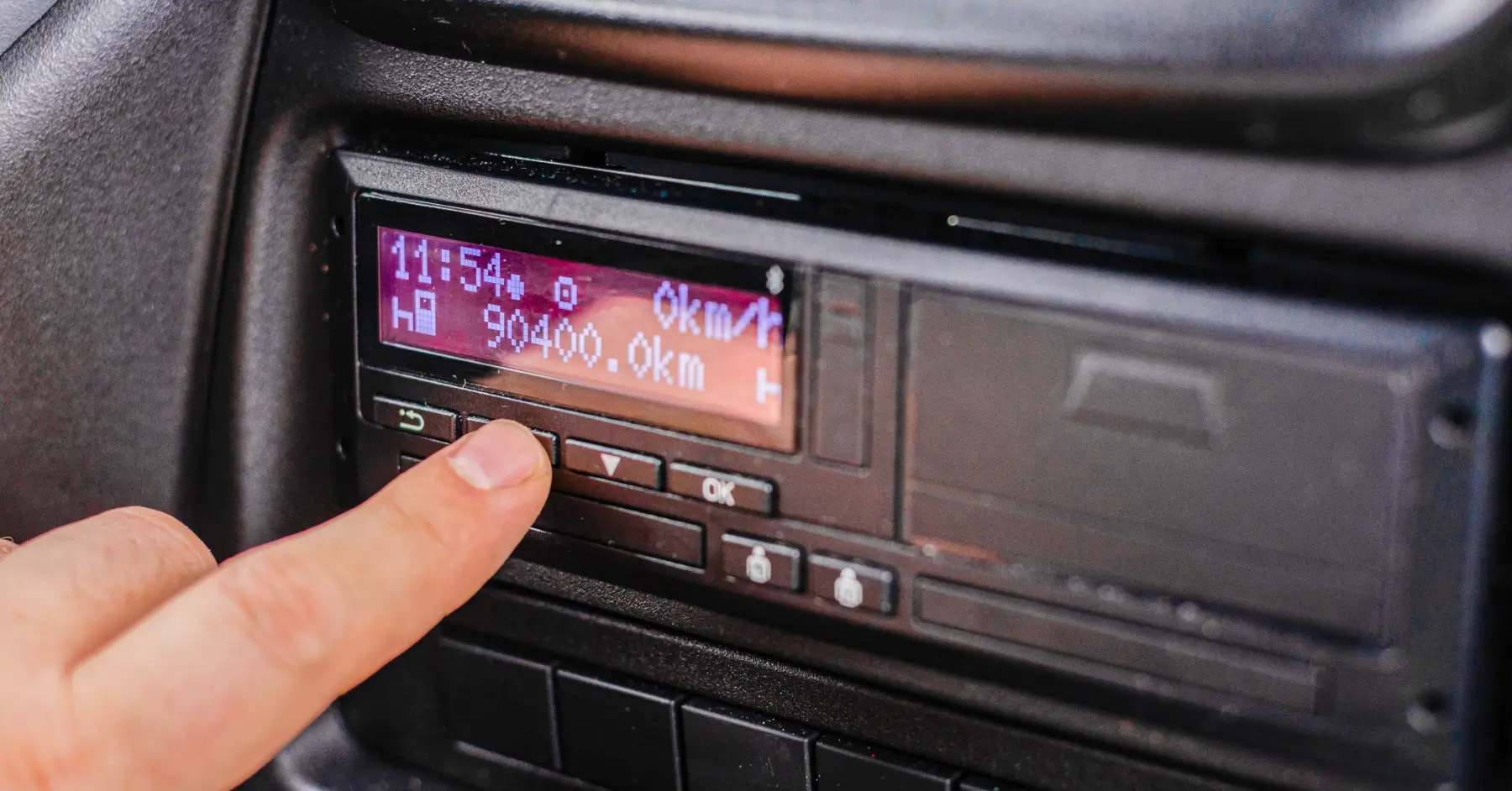
Tachographs Explained: What Every New Driver Needs to Know
If you drive a commercial vehicle in Europe, tachographs are part of the job. These devices record your driving and rest times – and they’re about to become part of daily life for even more drivers.
For those operating vehicles above 3.5 tonnes (together with a trailer), tachographs have been mandatory for years. But starting July 1, 2026, the tachograph requirements will be extended to include light commercial vehicles (LCVs) from 2.5 to 3.5 tonnes (together with a trailer) that carry out international transport or cabotage operations. That means many van drivers who have never used a tachograph before will now need to.
This guide will walk you through the basics: what tachographs do, how to use them, and how digital tools like Tachogram make compliance simple for both new and seasoned drivers.
What a tachograph actually does
A tachograph is a device that records driver activity. It automatically tracks how long drivers have driven and records activities such as work and rest based on drivers’ inputs. The goal is to ensure that all professional drivers follow the same EU driving and rest-time rules, improving safety and fairness across the transport industry.
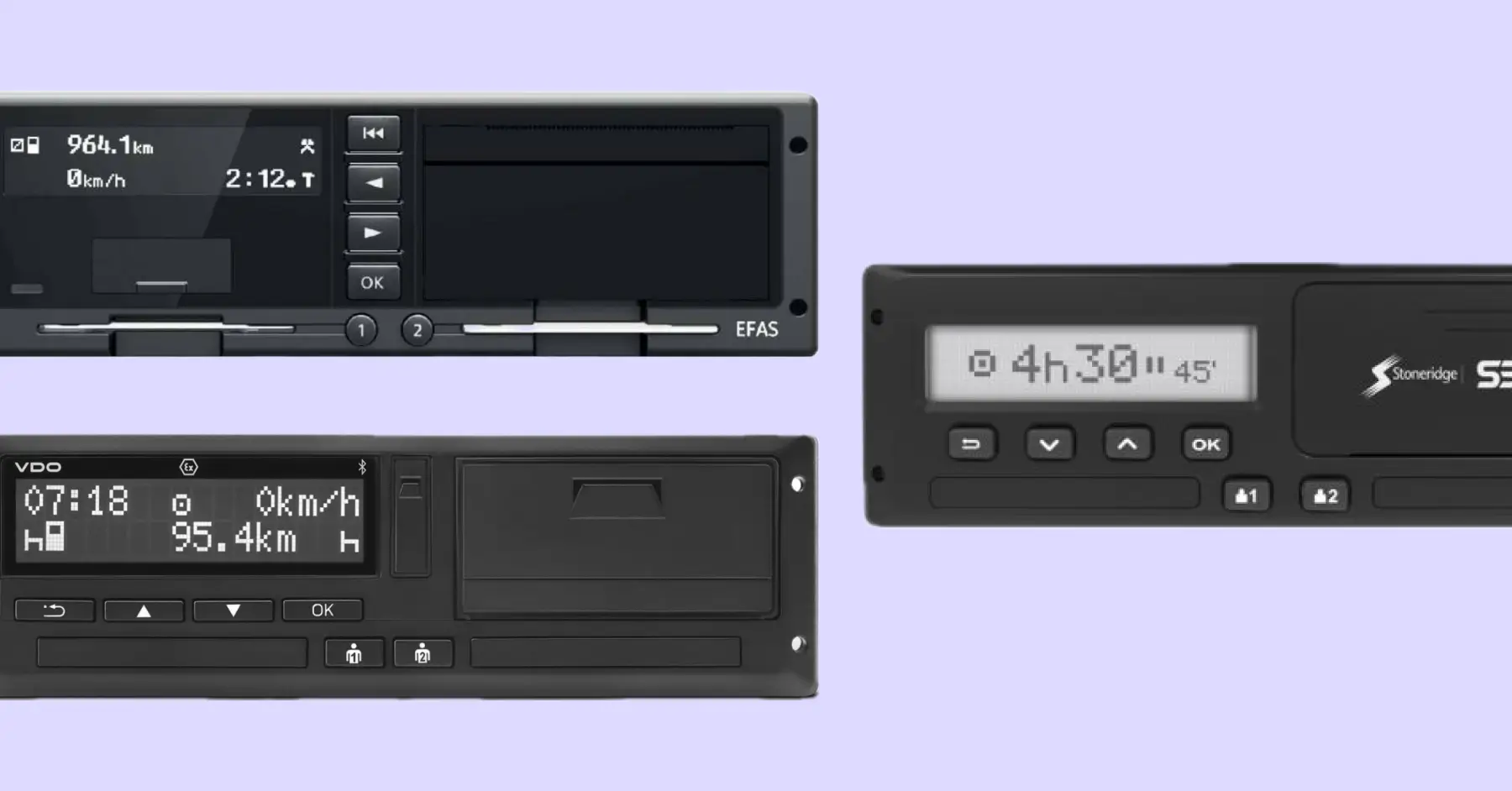
Here’s what a tachograph records:
Driving time
Working time (other duties besides driving)
Periods of availability
Rest and breaks
Vehicle speed and distance
Other datasets required by regulations
Authorities and employers can use this data to verify that the drivers and businesses have complied with the rules, and, during inspections, accurate records help avoid misunderstandings or fines. Monthly fines can average EUR 2000, depending on the country and the infringements committed.
The different types of tachographs
Tachographs have evolved over time, and there are a few types still in use:
Analogue tachographs – the older, paper-based versions that record on wax charts. Mostly found in older vehicles.
Digital tachographs – electronic systems that store all data on a driver card.
Smart tachographs – the latest generation, automatically logging location data and border crossings via satellite (GNSS).
Smart tachograph version 1 records the vehicle’s GNSS position at the start and end of the shift and every three hours of driving, while border crossings must still be entered manually. The newer smart tachograph version 2, mandatory since August 2023, automatically records border crossings and can also log loading and unloading events.
If a vehicle is new or has been registered recently, it’s equipped with a smart tachograph, as required by EU law. New 2.5 t–3.5 t vehicles entering international transport will also need the smart tachograph version 2.
The driver card – your personal key to tachograph data
Each professional driver must have their own driver card. It’s a plastic card with a chip that stores personal driving and work data, which has to be downloaded every 28 days and stored for at least a year. To get the driver card, you need to apply for it at the national transport authority.
A few key rules:
Insert the card before you start driving.
Remove it when your working day ends.
Don’t share or swap cards – each one is registered to an individual.
If the card is lost or damaged, report it immediately and request a replacement from your national authority.
There are other types of cards too – for companies, workshops, and control authorities – but the driver card is the one you’ll use every day. Drivers can also use a driver card reader and an app to download and store the tachograph data on the go.
Driving and rest time basics every driver should know
It is important to know what your tachograph is tracking and how to follow the regulations based on that, so here’s a short reminder of the main EU driving and rest time rules that apply to professional drivers.
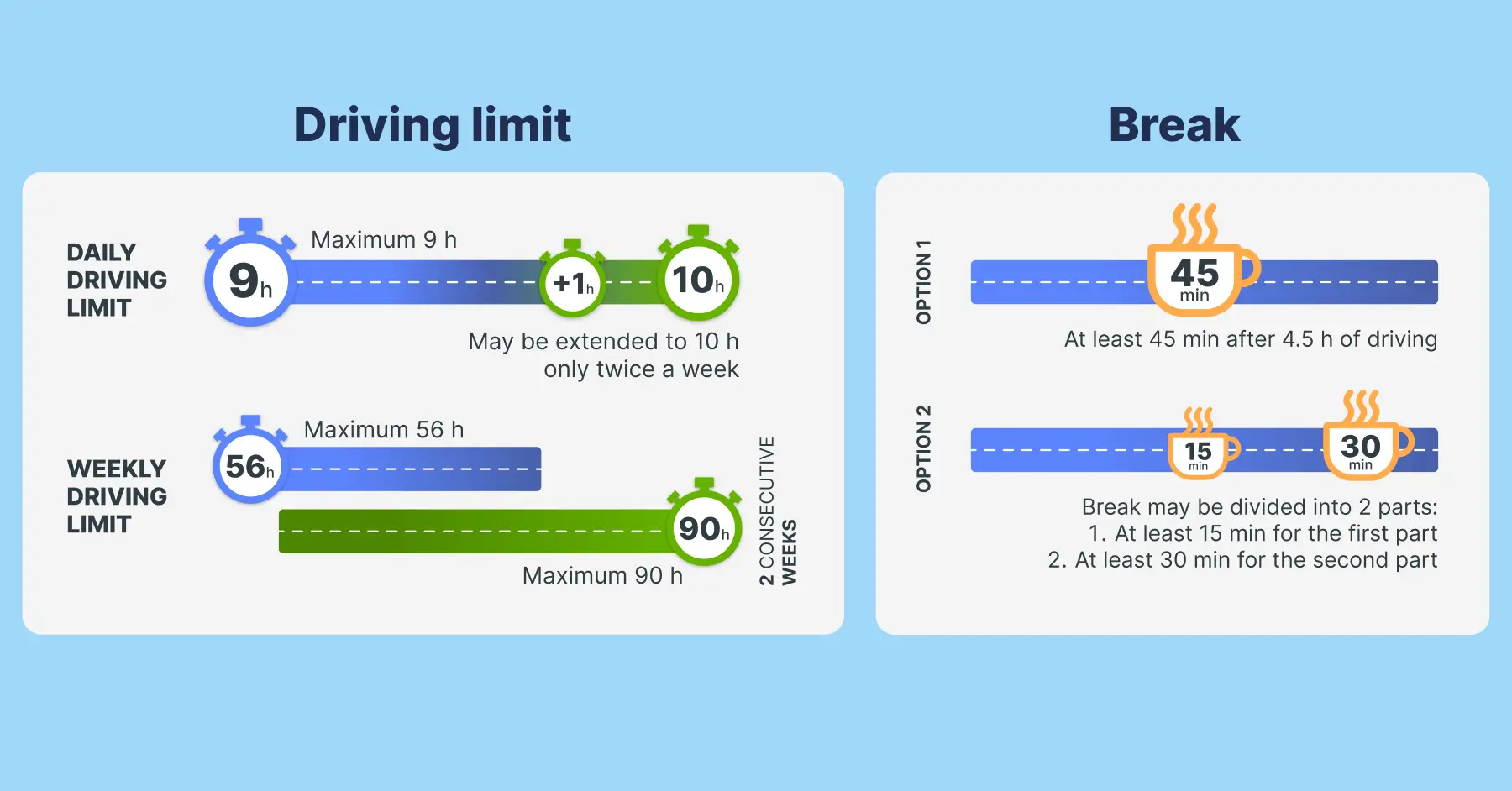
Daily limits
You can drive up to 9 hours per day, with the option to extend to 10 hours twice per week.
You must take a break of at least 45 minutes after every 4.5 hours of driving. This can be split into two parts – a 15-minute break followed by 30 minutes later.
Weekly limits
You have a maximum of 56 hours of driving per week.
You can’t exceed 90 hours of driving in two consecutive weeks.
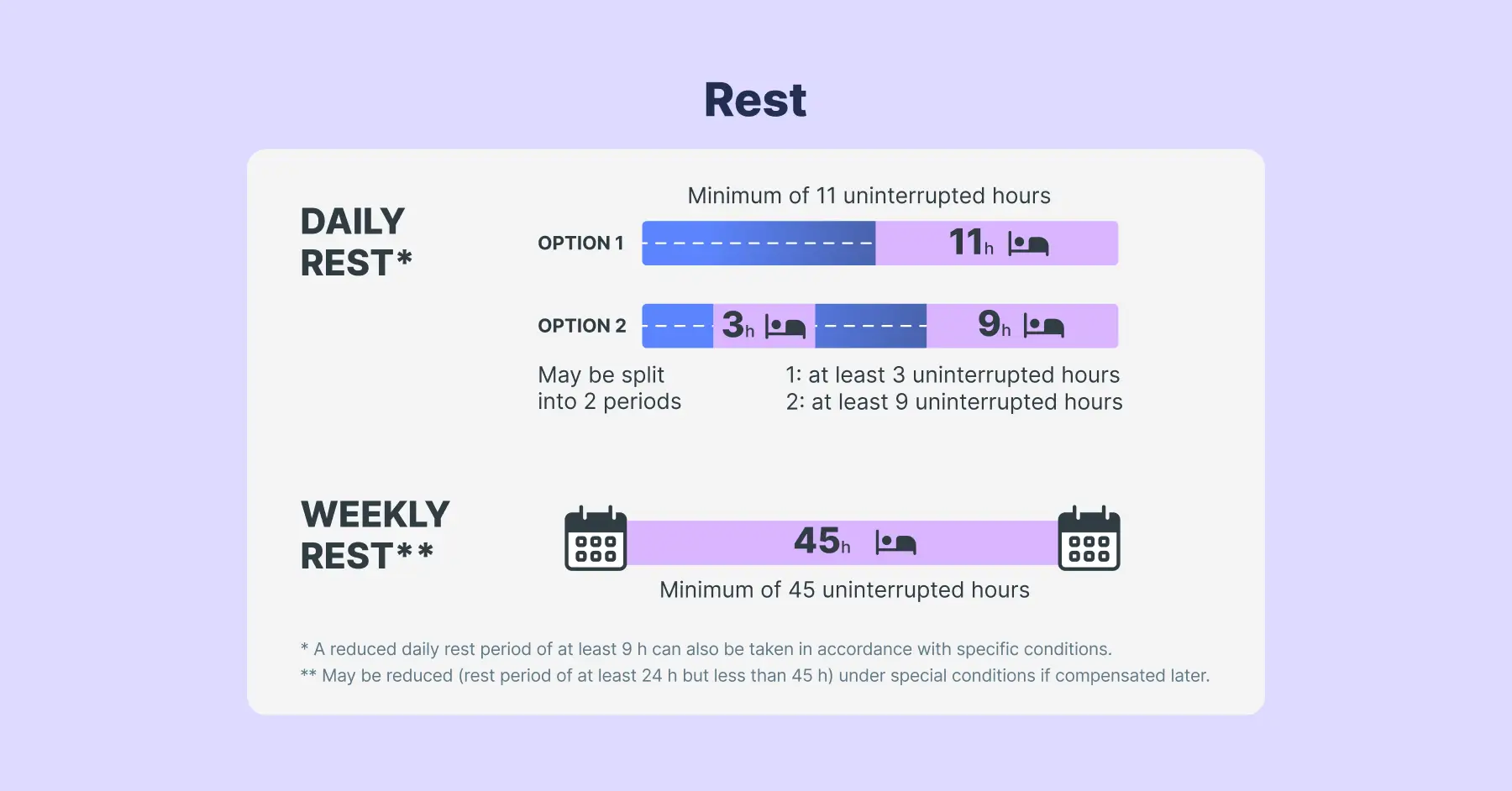
Rest periods
Daily rest: at least 11 hours, which can be reduced to 9 hours up to three times per week.
Weekly rest: at least 45 hours, which can be reduced to 24 hours every other week if compensated later.
Why it matters
These rules aren’t just for compliance – they’re designed to prevent fatigue and accidents.
It automatically tracks how long you have driven and records activities such as work and rest based on drivers’ inputs, helping you prove that you’ve followed the law and protecting you from unfair penalties.
Daily use: what drivers need to do
Using a tachograph becomes routine once you know the basics. Here’s a simple checklist for everyday driver compliance:
Insert your driver card before starting the engine.
Enter your start location and any other manual inputs if required.
Select the correct mode (work, rest, or availability).
Take breaks and rest as required by law.
Download your data regularly – every 28 days is the requirement for drivers.
Check for warnings or error messages and resolve them early.
Return to base at least once every 8 weeks as stated in the Mobility Package.
On top of that, in case of a roadside inspection, drivers must be able to present their driver card, tacho records for the current day and the previous 56 days. In case of a card malfunction, you can show printouts and manual records.
Common tachograph mistakes and how to avoid them
Even experienced drivers make simple errors that can lead to fines. Here are the most common ones:
Forgetting to insert the driver card.
Missing required rest breaks
Selecting the wrong activity mode (e.g., “rest” when doing other work).
Missing a required download deadline.
Ignoring calibration or technical errors after vehicle maintenance.
It is important to check the tachograph screen while you’re driving to ensure you have not exceeded the allowed driving time.
But some of the common mistakes can be avoided if a driver uses a tachograph analysis tool like Tachogram. It shows clear notifications about missing data, rest period breaches, or pending downloads – so you can fix them before they become a problem.
How Tachogram helps drivers stay compliant
Tachogram is designed to make tachograph management easier for both drivers and fleet operators. It reminds you about upcoming downloads, helping you stay on top of deadlines and avoid missing data periods.
Here’s how it helps:
Secure storage – access the data for the EU required period and more.
Instant access to daily and weekly summaries – see driving time, rest periods, and more.
Infringement summary – see violations committed and their respective rules.
Reminders about upcoming downloads and calibration deadlines.
Transparent reporting for payroll and compliance audits.
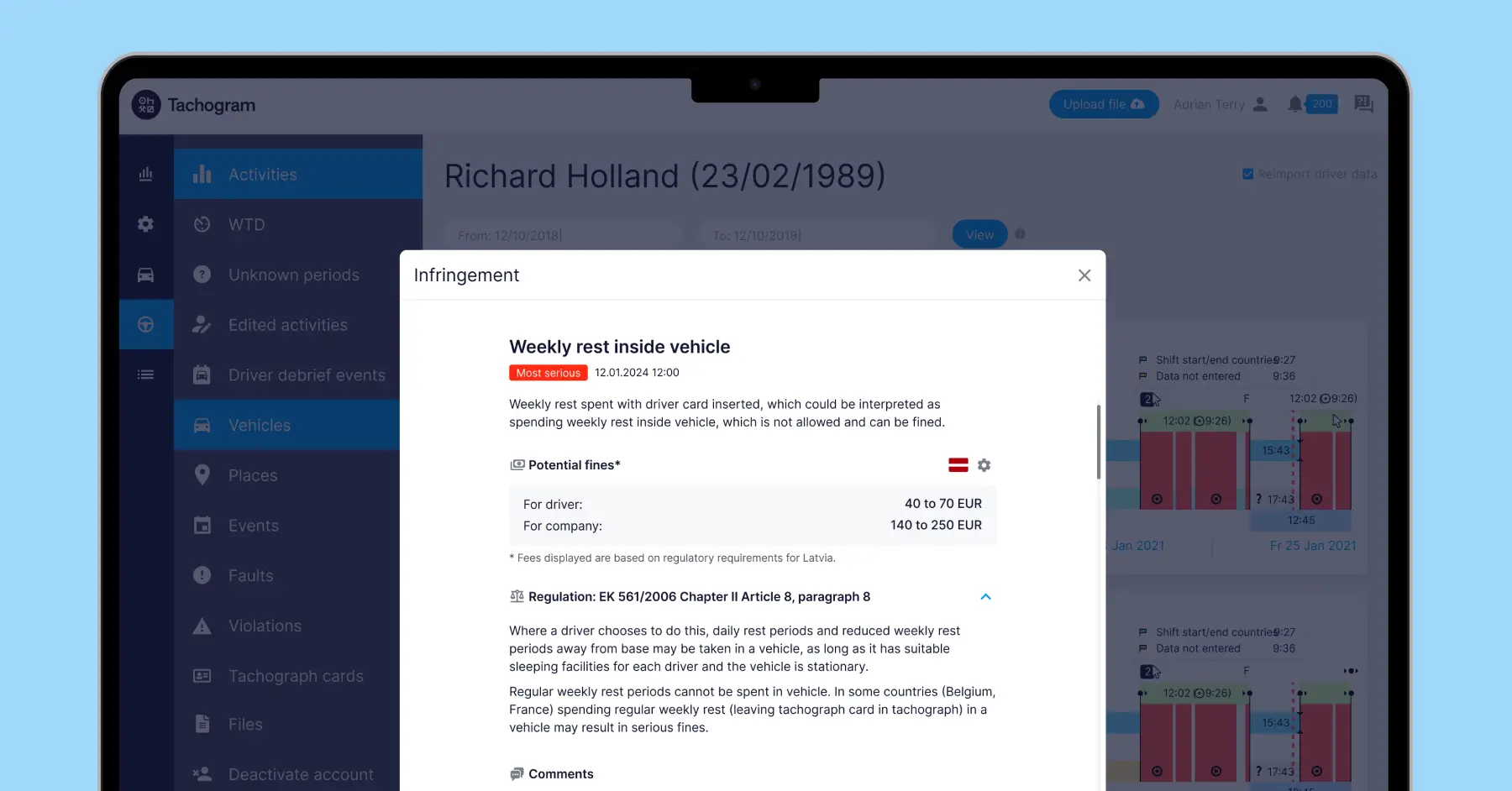
How to start using a tachograph
If you’re about to start using a tachograph for the first time, here’s what to do:
Be sure whether your vehicle falls under the tachograph rules.
Make sure you have a driver card – apply for it through the national transport authority.
Get in touch with certified tachograph installers to get the tachograph properly installed and calibrated.
Register on Tachogram for free and get a driver card reader. With that you can download tachograph data from the driver card and analyse it on the Tachogram app or web platform.
Tachographs don’t have to be complicated. With the right habits and the right tools, compliance becomes just another easy part of your workday.